
How to leave Cartis Payments a Google review
To leave Cartis Payments a Google review, open our Google Review page, sign in, choose a star rating and write your comment. No Gmail account? You can create a Google account with any email address you already use.
On this page
How do I leave Cartis a Google review?
We value your feedback. Open our Google Review page and sign in with your Google account.
How do I leave a review without a Gmail account?
If you do not have a Gmail account, you can still leave a review by creating a Google account with any other email address you use. Follow these steps:
- Click on Sign In

- Click on user another account (the button reads “Use another account”)
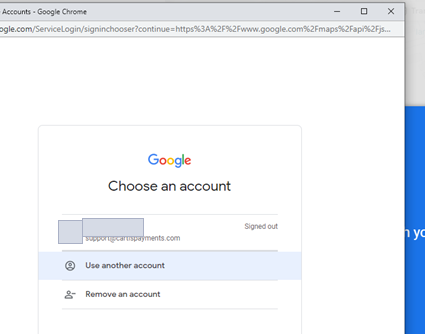
- Click on Create account and choose For myself

- Click on Use my current email address instead

- Enter the email address you are using with the name associated with your account and set + confirm a password.

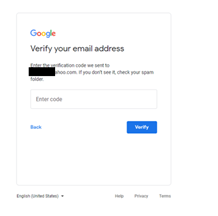
- You will receive a verification code to your email address to enter.
- Enter Date of Birth and Gender and recovery / security phone # (optional)

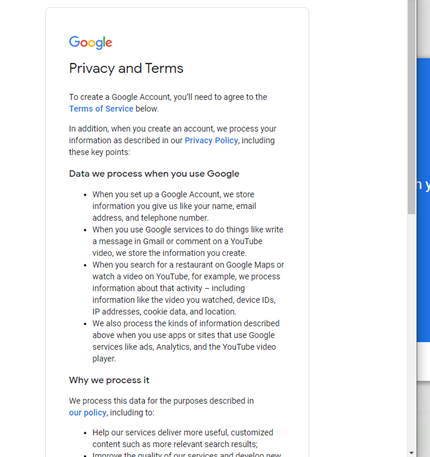
- Agree to Google’s Privacy Terms
- Select a star rating and write your review

How else can I reach Cartis?
For more information, questions or concerns, to explore additional features, or to refer a business to us for merchant services, reach us by email or phone.
Updated November 2, 2026
Still stuck? Talk to a person.
Our team answers the phone.
Questions about your account? Contact the Cartis team