
How to complete your annual PCI compliance (PCI Compliance Manager)
To complete your annual PCI compliance (the card industry’s data security check), log in to the PCI Compliance Manager portal at pcicompliancemanager.com, check your business profile and self-assessment questionnaire (SAQ), run a scan if you need one, then complete the attestation of compliance. PCI validation lasts for one year.
On this page
How do I log in to the PCI Compliance Manager?
When your account is set up with us, we register you for the PCI portal and send you login credentials. Log in here:
https://pcicompliancemanager.com/safemaker/login/
What are the business profile and the SAQ?
The business profile is a set of questions about how you accept and handle credit card information. Your answers decide which SAQ you need to complete and whether you need a scan.
The self-assessment questionnaire (SAQ) is a set of questions that show your data security processes and procedures for protecting cardholder data.
We help complete both, but we use generic answers. It’s your responsibility to review them and re-profile wherever they don’t match how your business works.
How do I review my answers or re-profile?
- Under Your Business Profile click on Manage

- To view the current answers click on view profile answers
- To Re-profile, click on Re-profile
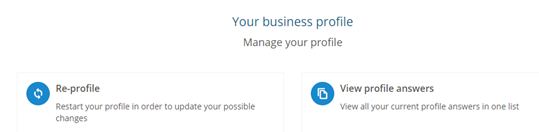
- Next, follow the same step under the Complete Security Assessment box, click on manage and select either to view history or answer now to reprofile.
Do I need to complete a scan?
Only if your system has externally facing IP addresses (addresses that can be reached from the internet). Your profile answers help decide whether this applies to you. If it does, you must provide a passing scan at least quarterly. The PCI Compliance Manager has partnered with Sysnet Global Solutions to give you a scan tool to find and fix vulnerabilities.
How do I complete the attestation of compliance?
The attestation is your formal statement that your business meets the PCI requirements. Do it last, when you have no more changes to make.
- Click on begin step
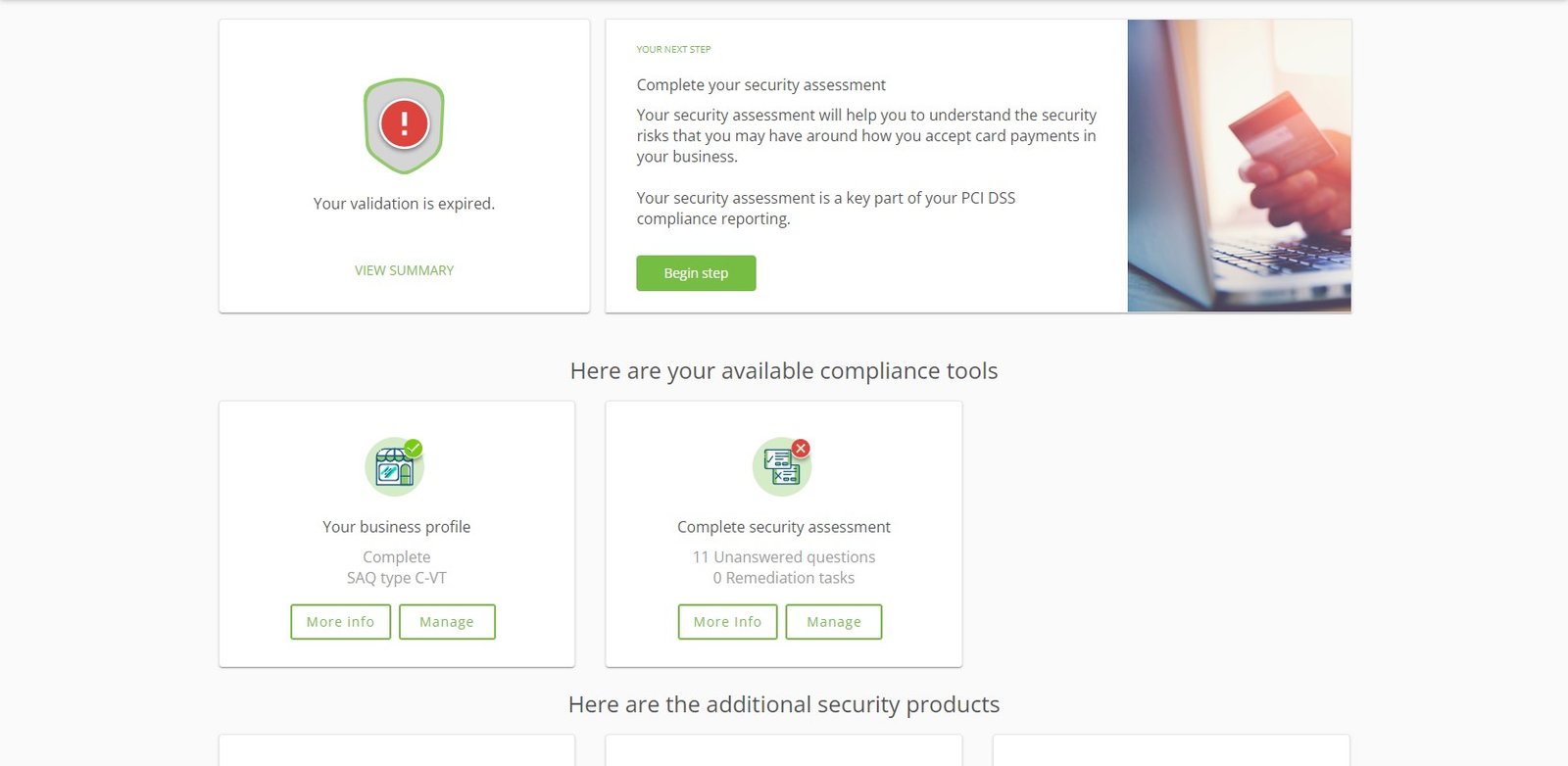
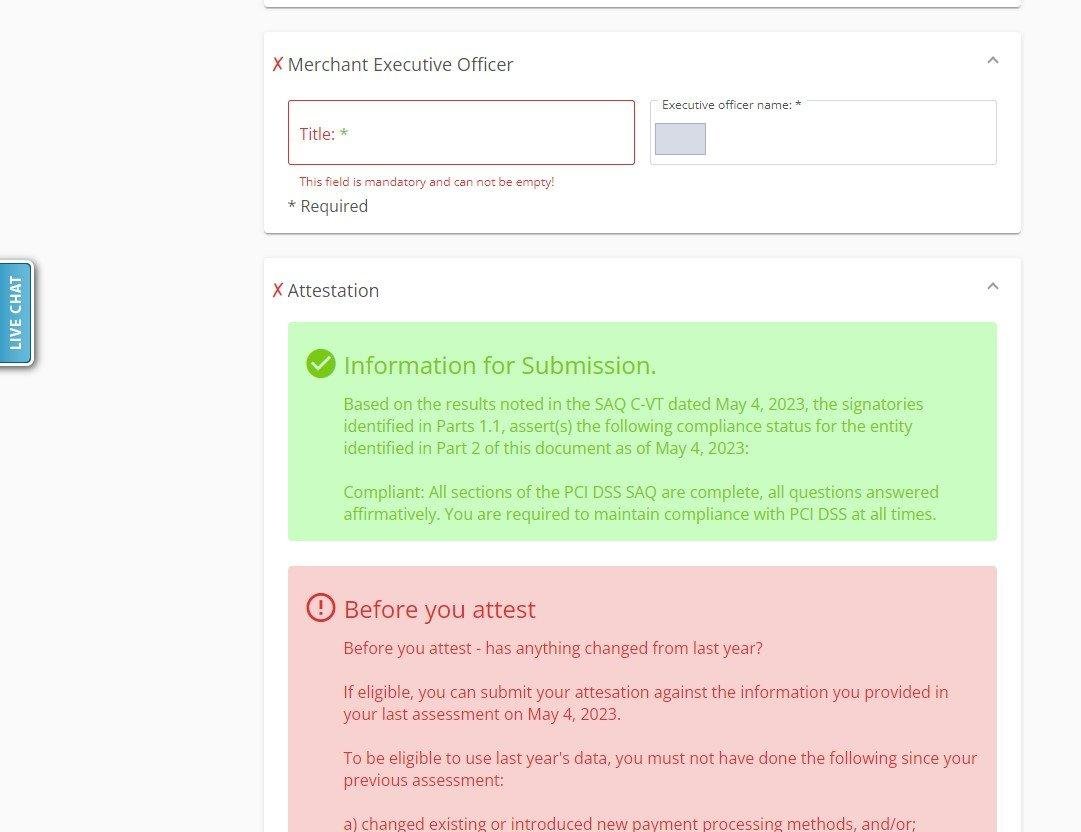
- Enter title under merchant executive officer box
- Select everything is the same
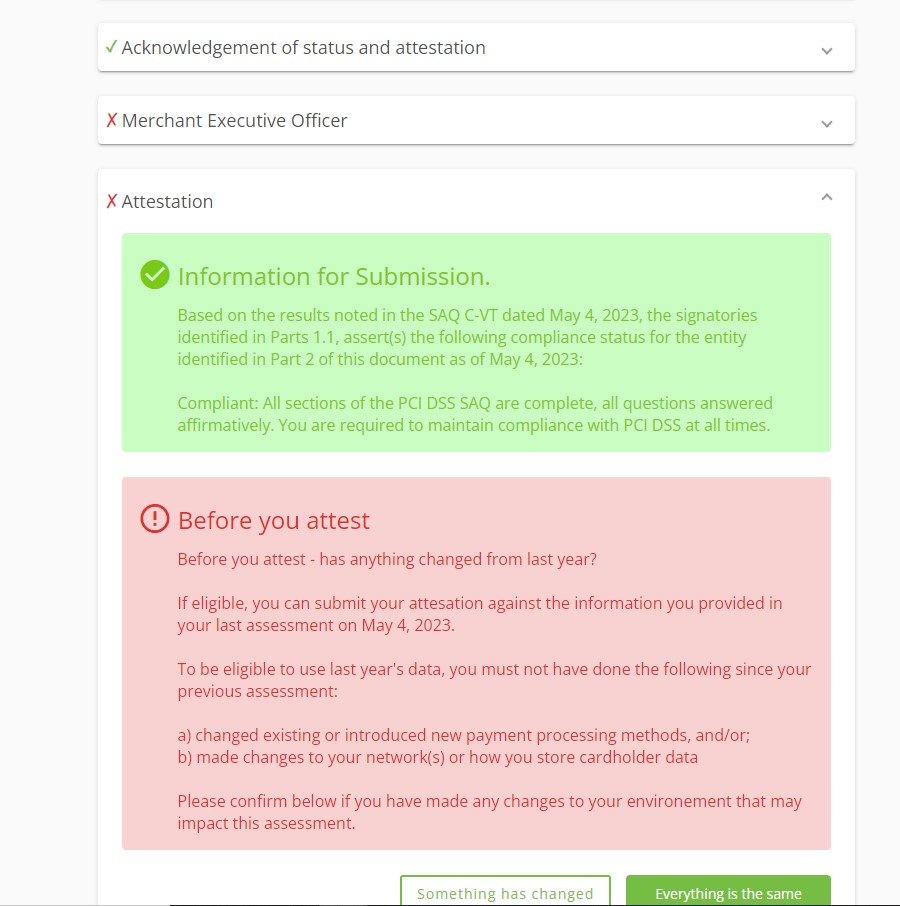
This completes your PCI validation, which lasts for one year.
What if I have more than one account with Cartis?
We link your accounts together in the PCI portal for you. Completing the attestation on one applies it to all of your accounts.
Common questions
How often do I need to do this?
PCI validation lasts for one year. If you need a scan, you must provide a passing scan at least quarterly.
I don’t have my PCI login. What should I do?
We send your PCI portal login credentials when your account is set up. If you can’t find them, contact Cartis at 1-888-712-0770 or support@cartispayments.com.
Updated November 2, 2026
Still stuck? Talk to a person.
Our team answers the phone.
Looking at your processing costs? See the Cartis payment gateway