
How to set up the Converge Mobile app
To set up Converge Mobile, download the app, sign in with your account ID, User ID and Mobile PIN, then set a 5 digit unlock passcode. You can then key in card details by hand, or pair an EMV card reader such as the Link 2500 over Bluetooth.
On this page
Before you start
Each Converge user needs a mobile PIN. Please contact us so we can set up your Converge users as mobile users and provide you with those PINS. Call us at 1-888-712-0770 or email support@cartispayments.com.
How do I set up Converge Mobile?
- Step 1 – Download the Converge Mobile App from the Google Play Store or Apple App Store
- Step 2 – Login using the mobile credentials we supplied to you
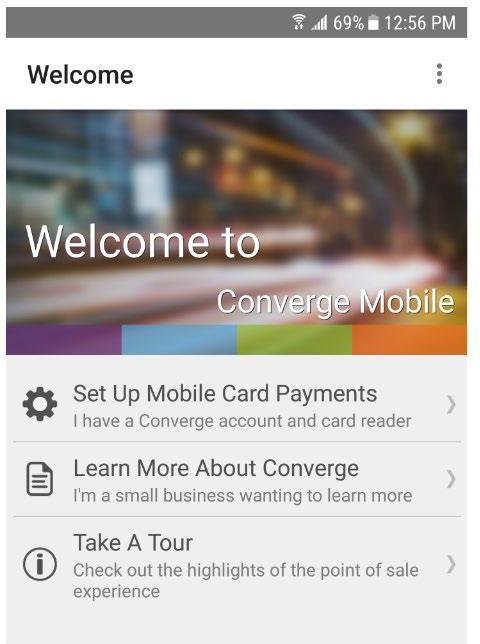
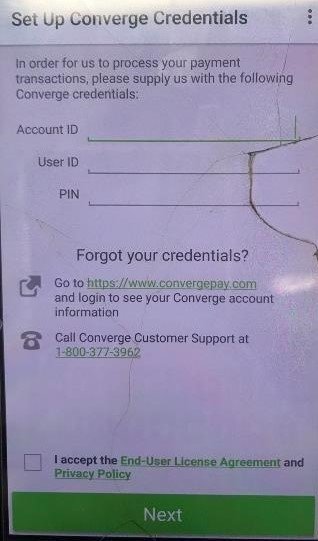
From the welcome screen: select Set Up Mobile Card Payments and login using your account ID, User ID and Mobile PIN and accept the End-User License Agreement (EULA) to proceed.
- Step 3- Set an app unlock passcode
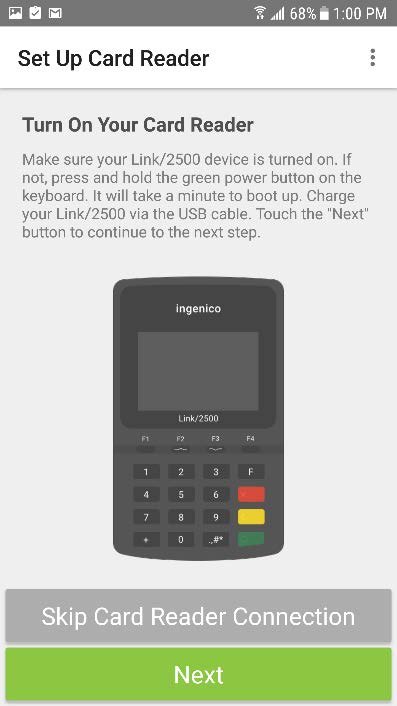
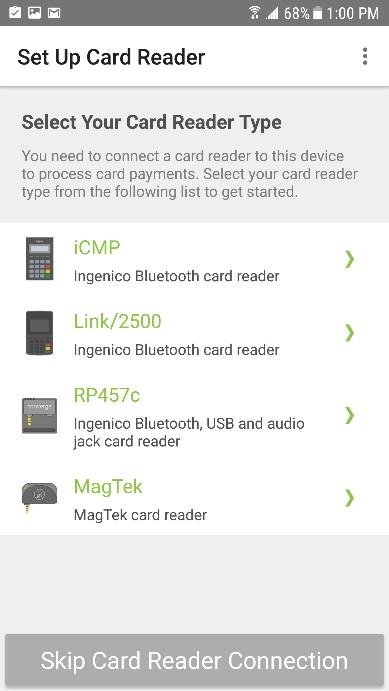
If the app shows a card reader setup screen, press Skip Card Reader Connection (shown in the screenshots below). You will then be prompted to set a 5 digit passcode / unlock code that will be used to login to the mobile app.
You’re now ready to do manually entered sales in the Converge Mobile app.
How do I connect a card reader?
If you’re using the app with a card reader, follow the steps to pair your card reader.
Updated November 2, 2026
Still stuck? Talk to a person.
Our team answers the phone.
Taking payments with Converge? See Converge from Cartis