
How to change the language in Converge
To change the language in Converge, go to Account in the left side menu, choose your Language from the drop-down under Settings, and click Save.
How do I change the Converge language?
- Go to Account in the left side Converge menu.
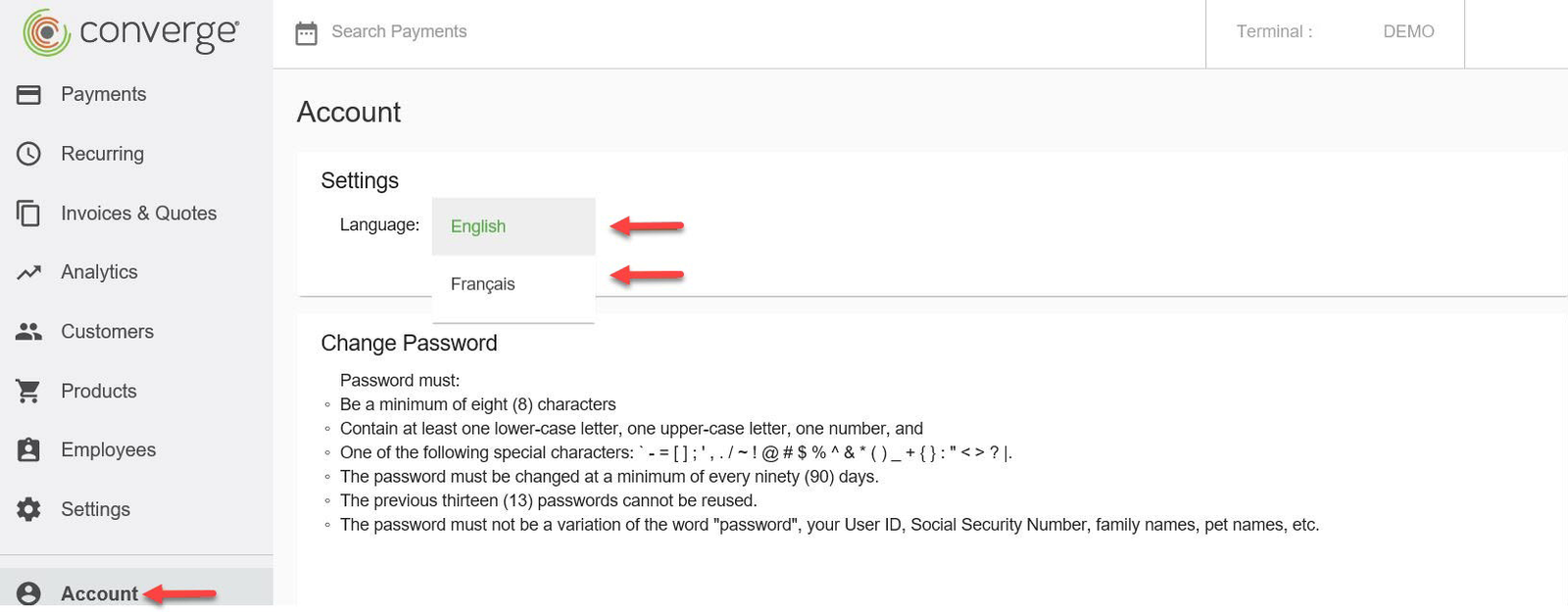
- Select your Language from the drop-down menu under Settings. Click Save.
A message will appear in the selected language to let you know your changes have been saved successfully.

Updated November 2, 2026
Still stuck? Talk to a person.
Our team answers the phone.
Taking payments with Converge? See Converge from Cartis
More in Converge (UI) How To Guide
- How to change or reset your password in Converge
- How to change user rights in Converge
- How to complete a new credit card sale in Converge
- How to complete a sale in Converge with a connected card reader / PIN pad
- How to connect a card reader or PIN pad to Converge by USB (Converge Connect)
- How to import a batch in Converge (CSV or XML)