
How to change or reset your password in Converge
To change your Converge password, go to Account in the left side menu, enter your old password and a new one, then click Save. If you can’t log in, use Forgot Password on the Converge login screen. You can change your Converge password only once in any 24-hour period.
On this page
How do I change my own Converge password?
Use this when you are logged in and know your current password.
- Go to Account in the left side menu of Converge. Enter your Old Password, a New Password, then Confirm your New Password. All fields marked with a red asterisk must be completed.

- Select Cancel or Save when prompted.
If you click Save, a message confirms that your password was changed.
How do I reset another user’s password?
You can do this only if your own user permissions let you view and change users in Employee Management.
- Go to Employees in left side menu of Converge. On the Employee Management page, select the user you want to change the password for.

- Enter the user’s new password and confirm the new password. All fields marked with an asterisk are required. Make sure to select a terminal to add to ensure you can edit the user’s account in the future and the user is able to process/view transactions for the terminal.
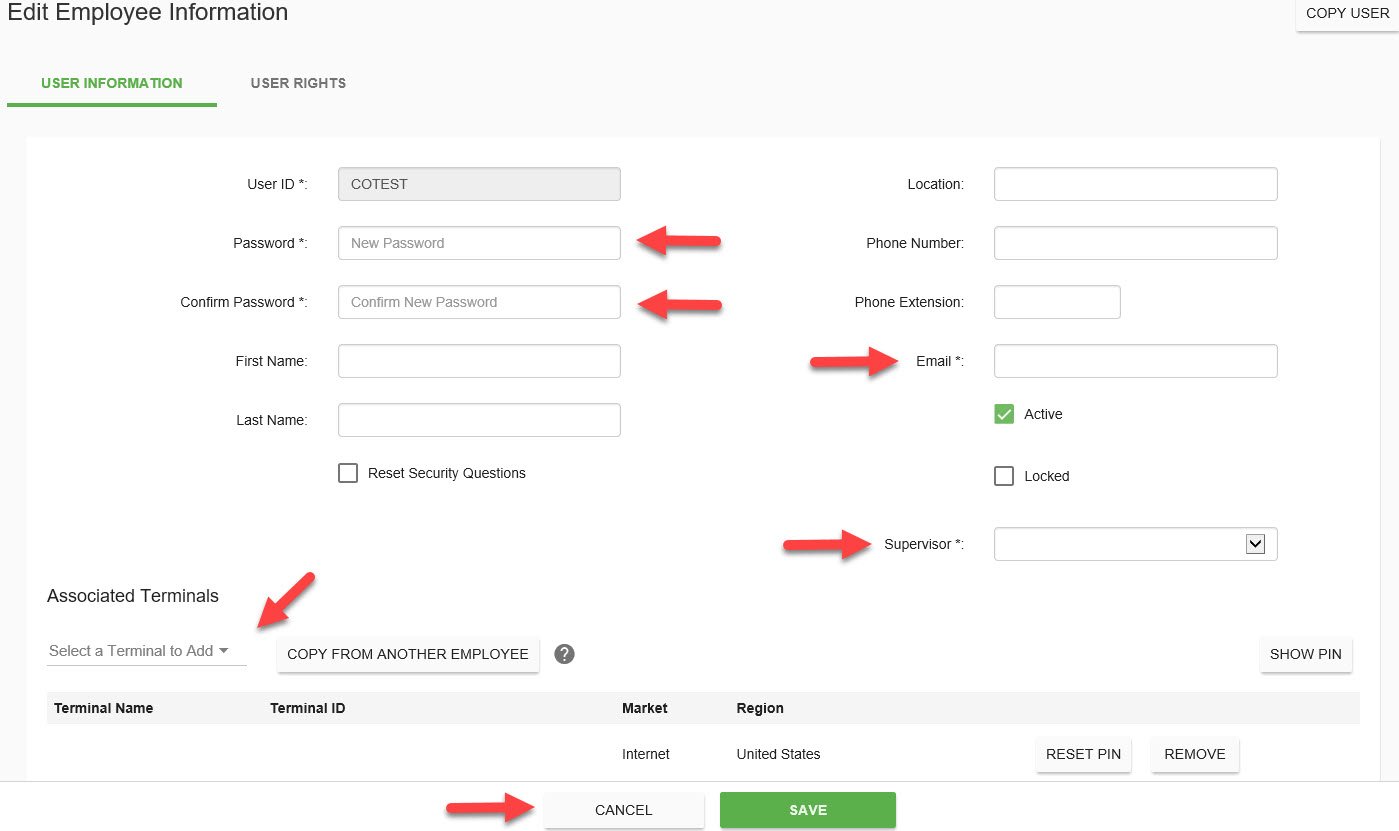
- Click Cancel or Save.
How do I reset my Converge password if I forgot it?
Start from the Converge login screen.
- On the login screen, click Forgot Password.

- Converge will prompt you to enter your Account ID and User ID. Enter both and click Reset Password.
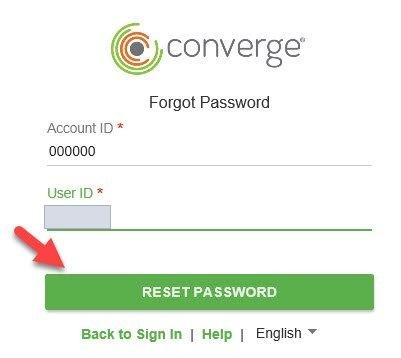
- Converge will prompt you to answer two security questions to confirm your identity. After answering the questions, click Submit.

- A security code to reset your password will be sent to the email you have on file. There is a 10 minute period for resetting your password. After 10 minutes, you will need to repeat steps 1 – 4.
Common questions
How often can I change my Converge password?
No more than once within a 24-hour time frame.
I forgot my Account ID and User ID. What do I do?
Contact Cartis support at 1-888-712-0770 or support@cartispayments.com. You need both to use Forgot Password.
Updated November 2, 2026
Still stuck? Talk to a person.
Our team answers the phone.
Taking payments with Converge? See Converge from Cartis
More in Converge (UI) How To Guide
- How to change the language in Converge
- How to change user rights in Converge
- How to complete a new credit card sale in Converge
- How to complete a sale in Converge with a connected card reader / PIN pad
- How to connect a card reader or PIN pad to Converge by USB (Converge Connect)
- How to import a batch in Converge (CSV or XML)