
How to connect an external PIN pad (Desk 1500) to a Desk 5000
To connect an external PIN pad such as the Ingenico Desk 1500 to a Desk 5000, plug the PIN pad’s USB cable into the USB port under the Desk 5000’s back cover, then connect power. Both devices boot up and pair with each other automatically.
On this page
Before you start
How do I connect the PIN pad to the Desk 5000?
- Open the back cover of the Desk 5000
- Lift the protective covering

- Insert the PIN pad USB cable through the groove in the protective covering and into the USB port.
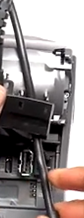
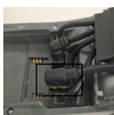
- Push the protective covering back into place to lock the USB cable into place; and replace the back cover.
- If not already connected, connect the other end of the USB connection into the PIN pad.
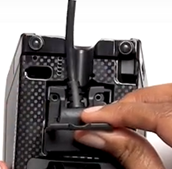
- Connect the Desk 5000 power cable (one end into the magic box, the other into the power outlet)
Both the Desk 5000 and the PIN pad will automatically boot up and will pair with each other.
Updated November 2, 2026
Still stuck? Talk to a person.
Our team answers the phone.
Need terminals for another location? See Cartis POS terminals