
How to search transactions in Converge
To search transactions in Converge, use the search field on the current or settled batch screen, or use Search Payments for a quick or advanced search by date range, amount, last 4 of the card number, customer name, invoice number or customer code. Detailed Search covers the past 21 days.
On this page
How do I find a transaction on the batch screen?
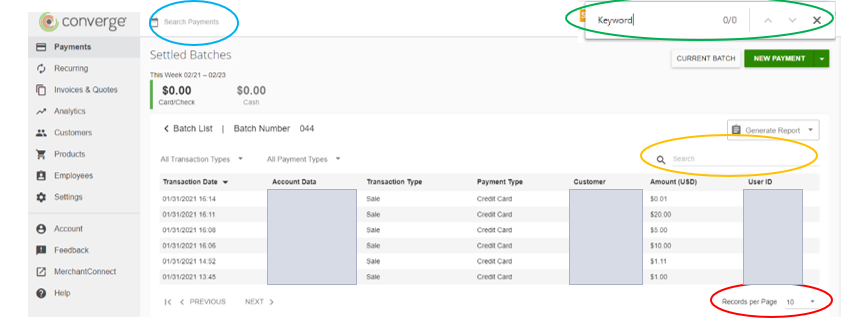
Basic method: show all records and use Ctrl+F
- Open the batch. For settled batches: first click on the batch date you wish to search, for current batch: this will be on main screen.
- At the bottom right of the screen is the record per page drop down menu. Expand that to the maximum.
- Utilize Ctrl+F keyboard shortcut to enter keyword into the search box that pops up.
Search box
On both current and settled batch screens (For settled batches: first click on the batch date you wish to search, for current batch: this will be on main screen) is a search field. Enter the information you are trying to locate.
How do I use Search Payments (quick or advanced search)?
If you do not have this option enabled, please reach out to us. There will be the option to do a quick or advanced search.
For advanced search:
- First select a date range for the transaction you are trying to locate.
- Then you can filter down by additional filters (i.e., amount, last 4 of card #, customer name, invoice #, customer code)
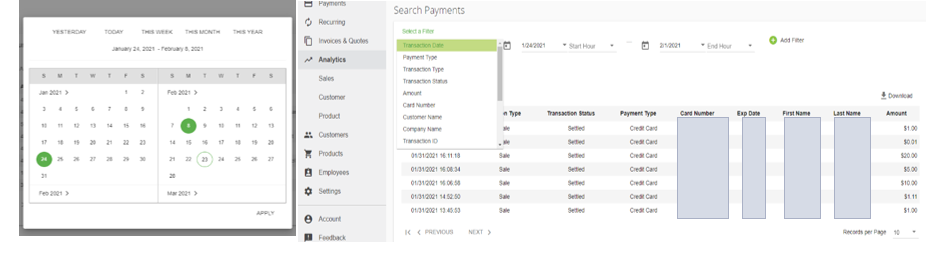
You can download or generate the report of the filtered results by selecting the download or generate report button.
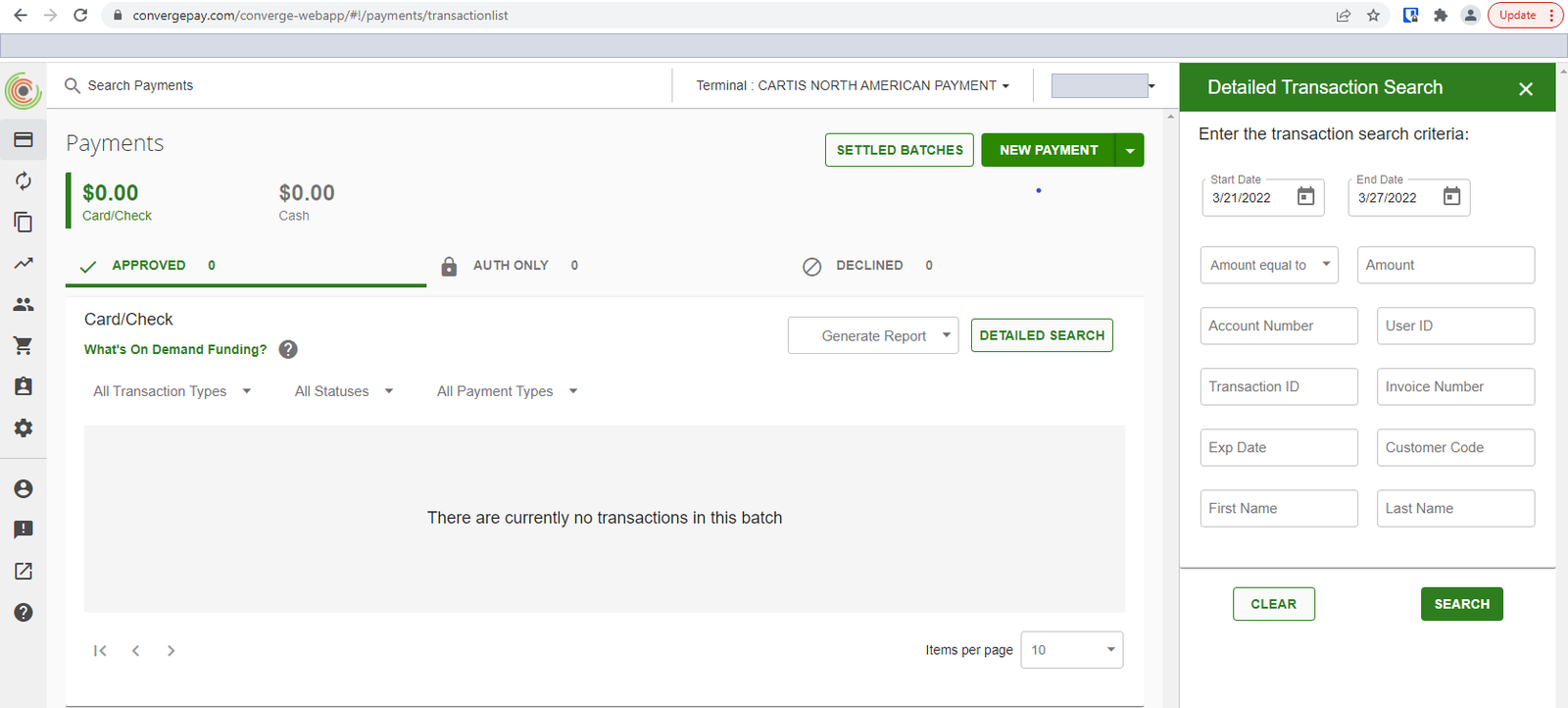
What does Detailed Search do?
Detailed Search allows you to perform a quick search on various criteria from the payments page by pressing on the detailed search button. If you have custom fields set up, the detailed search will allow you to search by those as well.
Common questions
I don’t see Search Payments. Why?
Search Payments has to be enabled on your account. If you don’t have it, contact Cartis at 1-888-712-0770 or support@cartispayments.com.
Can I export the results?
Yes. After filtering in Search Payments, select the download or generate report button.
Updated November 2, 2026
Still stuck? Talk to a person.
Our team answers the phone.
Taking payments with Converge? See Converge from Cartis
More in Converge (UI) How To Guide
- How to change or reset your password in Converge
- How to change the language in Converge
- How to change user rights in Converge
- How to complete a new credit card sale in Converge
- How to complete a sale in Converge with a connected card reader / PIN pad
- How to connect a card reader or PIN pad to Converge by USB (Converge Connect)