
How to view and download statements in My Payments Insider (MPI)
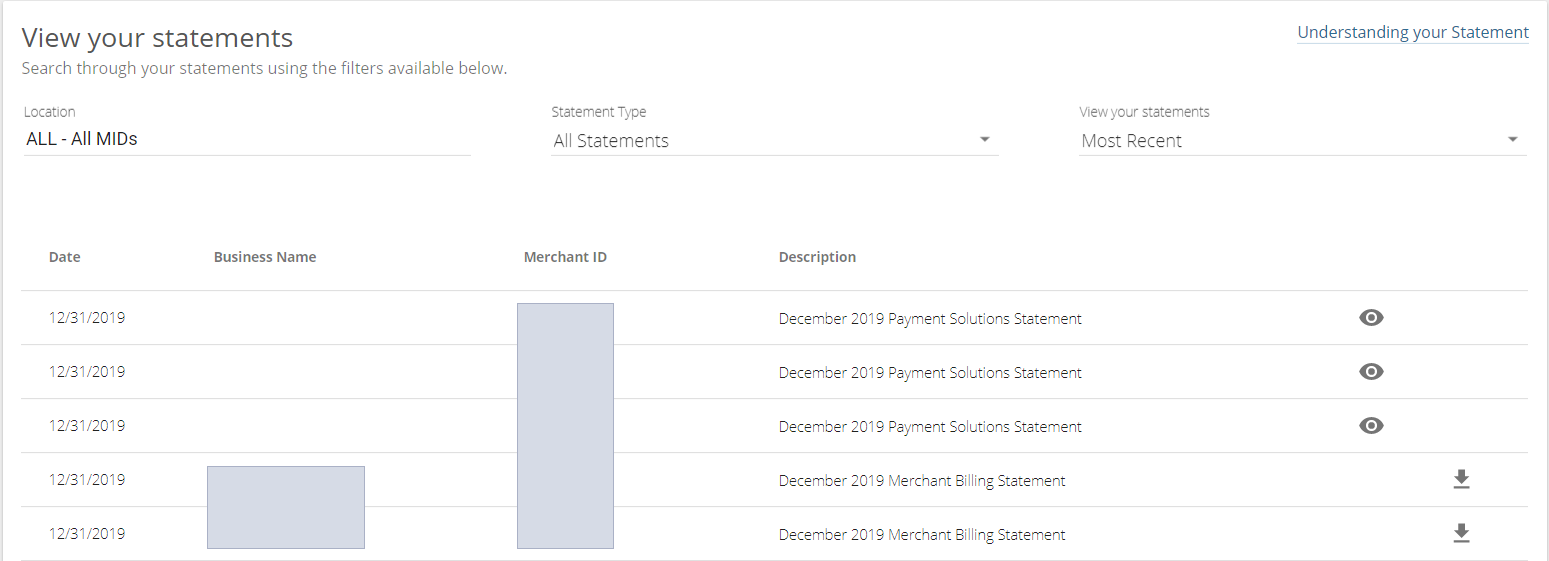
You can view and download your statements in My Payments Insider (MPI), from the most recent one up to the previous 12 months. Click Statements in the dashboard navigation menu, filter, then select the statement you want.
How do I get my statements?
- From the dashboard navigation menu, click on Statements to get to the statement page
- Use the filters to view statements based on Merchant ID, statement types, and date range.
Once you have selected your filters, the available statements will display
- Select the statement you want to view or download
Updated November 2, 2026
Still stuck? Talk to a person.
Our team answers the phone.
Looking at your processing costs? See the Cartis payment gateway
More in My Payments Insider (MPI)
- How to add a second location (MID) in Payments Insider (MPI)
- How to add or delete users in Payments Insider (MPI)
- How to change your bank account or business details in Payments Insider (MPI)
- How to log in to My Payments Insider (MPI) with single sign-on
- How to manage and respond to chargebacks in Payments Insider (MPI)
- How to register and sign in to My Payments Insider (MPI)