
What is Payments Insider (My Payments Insider)?
My Payments Insider (Payments Insider) is an online self-serve portal where you manage your merchant account and run reports. You log in at https://www.mypaymentsinsider.com/.
On this page
Where do I log in to Payments Insider?
Go to https://www.mypaymentsinsider.com/.
What can I do in Payments Insider?
- View account information
- View and download monthly statements
- Transaction search
- Generate and download reports (Sales, deposits, fees, authorizations, chargebacks…)
- Manage user profiles
- Manage notification preferences
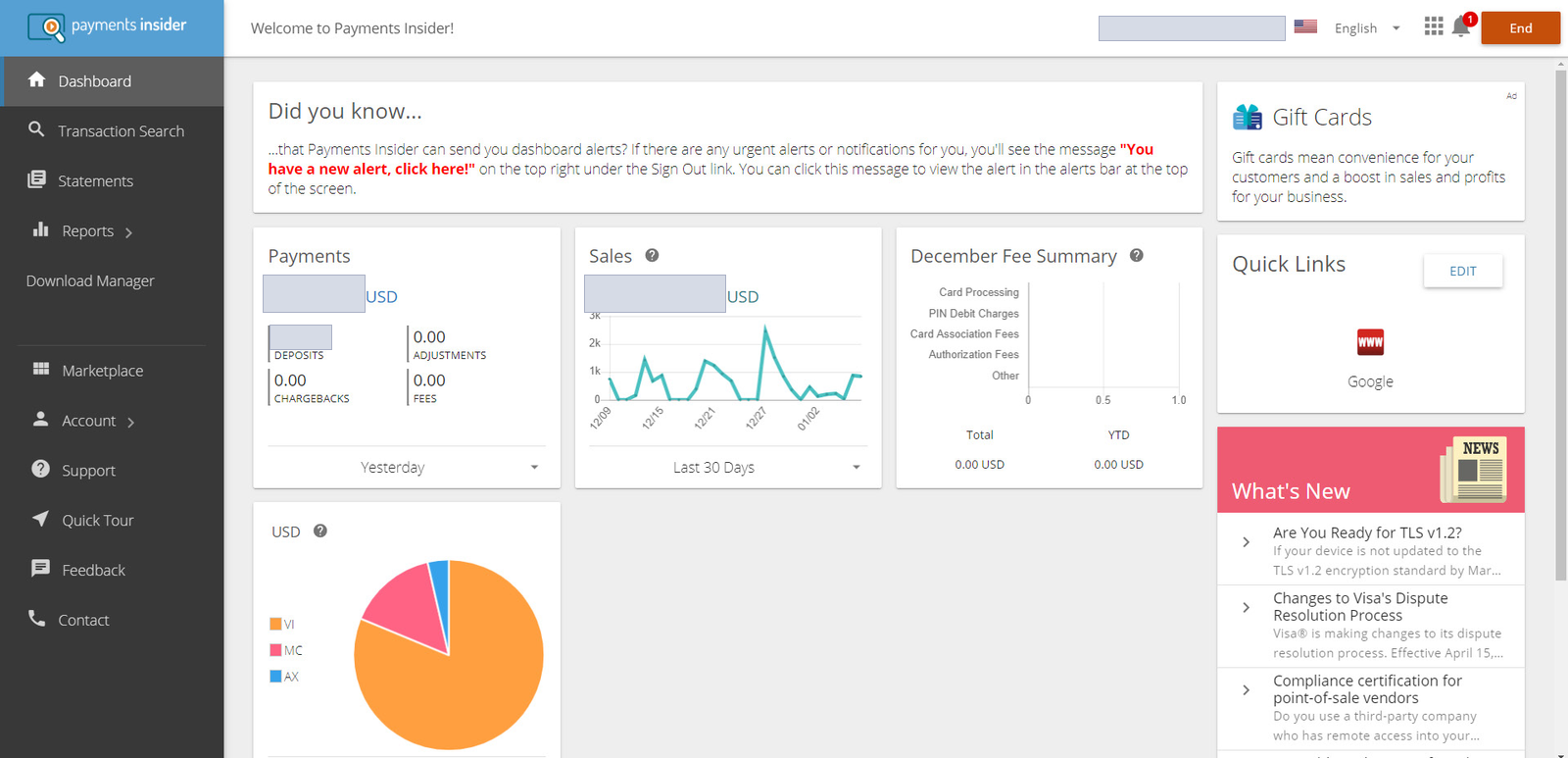
What does the Payments Insider dashboard show?
The dashboard gives you an overview of your deposit (payments) history. From there you can look at the details by running custom reports.
What do I need to use Payments Insider?
Payments Insider is accessible on desktop, laptop, tablet and mobile. Supported browsers and systems:
- Internet Explorer 11.0x
- Chrome 79.0x (Google Chrome works best)
- Supported OS: Windows 10x and MacOS X
Common questions
Are Payments Insider and My Payments Insider the same thing?
This help centre uses both names for the same portal, at https://www.mypaymentsinsider.com/.
I can’t log in to Payments Insider. What should I do?
Make sure you’re on https://www.mypaymentsinsider.com/. If you still can’t get in, call Cartis support at 1-888-712-0770 or email support@cartispayments.com.
Updated November 2, 2026
Still stuck? Talk to a person.
Our team answers the phone.
Looking at your processing costs? See the Cartis payment gateway
More in My Payments Insider (MPI)
- How to add a second location (MID) in Payments Insider (MPI)
- How to add or delete users in Payments Insider (MPI)
- How to change your bank account or business details in Payments Insider (MPI)
- How to log in to My Payments Insider (MPI) with single sign-on
- How to manage and respond to chargebacks in Payments Insider (MPI)
- How to register and sign in to My Payments Insider (MPI)