
Button and key shortcut reference (Desk 5000 / Move 5000)
On the Desk 5000 or Move 5000, press a number key from the home screen to jump straight to a function: 0 for Sale, 1 for Return, 2 for Void and so on. If gift cards or other menu items are enabled, the numbers from 4 up shift by one.
On this page
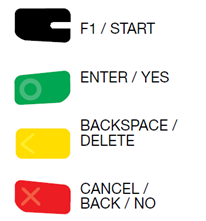
What do the buttons and keys do?

What are the number-key shortcuts?
Press one of these numbers on the home screen to go straight to that function.
You can also press on Enter the green button to access these items and their correspondng #s in the menu
| Number key | Standard menu | With gift cards (or other items) enabled |
|---|---|---|
| 0 | 0 - Sale | 0 - Sale |
| 1 | 1- Return | 1- Return |
| 2 | 2 - Void | 2 - Void |
| 3 | 3 - Force Sale | 3 - Force Sale |
| 4 | 4 - Auth Only | 4 - Gift |
| 5 | 5 - Settlement | 5 - Auth Only |
| 6 | 6 - Other | 6 - Settlement |
| 7 | 7 - Tab | 7 - Other |
| 8 | 8 - Tab |
Updated November 2, 2026
Still stuck? Talk to a person.
Our team answers the phone.
Need terminals for another location? See Cartis POS terminals
More in Terminal How To Guide - Canada
- Admin ID and password (Desk 5000 / Move 5000)
- How to activate a gift card (Desk 5000 / Move 5000)
- How to add a receipt image or screen saver (Desk 5000 / Move 5000)
- How to change terminal settings, including date and time (Desk 5000 / Move 5000)
- How to change the language on a Desk 5000 / Move 5000
- How to change the summary report font size (Desk 5000 / Move 5000)